

Introduction: SEO
SEO is the backbone of digital marketing. It’s the process of optimizing your website to appear higher on search engines like Google, Bing, or Yahoo. When people search for products or services you offer, SEO ensures they find you instead of your competitors.
Think of SEO as planting seeds 🌱—it takes time to grow, but once it does, it can bring free traffic for years.
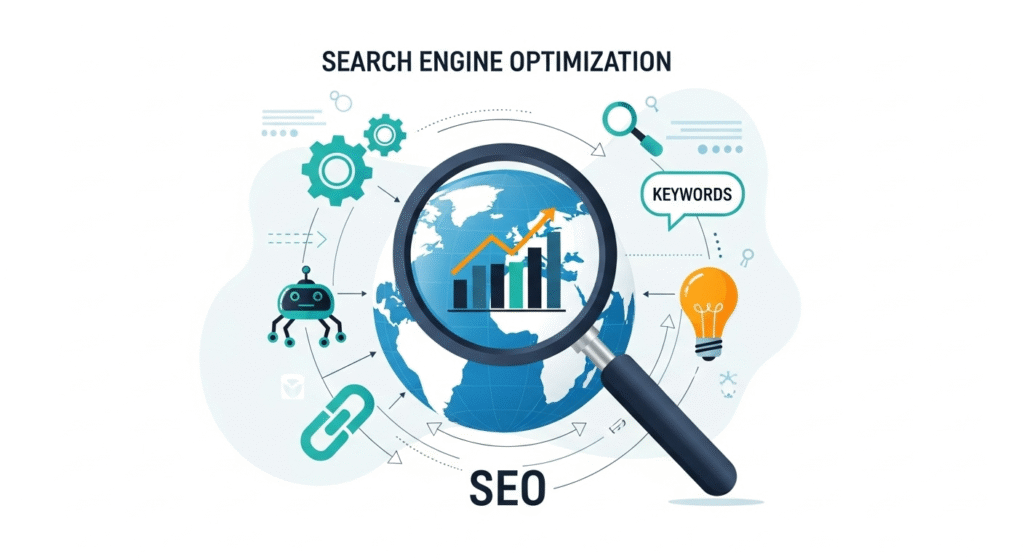
4.1 Why SEO is Important
- 90% of online experiences begin with a search engine.
- Websites on the first page of Google get 95% of the traffic.
- Unlike paid ads, SEO brings long-term results without constant spending.
💡 Example: If you rank #1 for “best running shoes,” your brand gets traffic every day without paying for ads.
4.2 Types of SEO
- On-Page SEO – Optimizing what’s on your website (content, keywords, titles).
- Off-Page SEO – Building authority outside your site (backlinks, mentions).
- Technical SEO – Improving site performance (speed, mobile-friendliness, structure).
- Local SEO – Optimizing for nearby customers (Google Maps, reviews).
4.3 Step-by-Step On-Page SEO
Step 1: Keyword Research
Keywords are the words people type into Google.
- Tools: Google Keyword Planner, Ubersuggest, SEMrush, Ahrefs.
- Find a mix of:
- Short-tail keywords (e.g., “shoes”) → high competition.
- Long-tail keywords (e.g., “best running shoes for flat feet”) → less competition, higher conversions.
👉 Example: Instead of targeting “digital marketing,” target “step by step digital marketing guide 2025.”
Step 2: Optimize Titles & Meta Descriptions
- Title Tag: The clickable headline on Google (50–60 characters).
- Meta Description: Short summary under the title (120–160 characters).
💡 Pro Tip: Include the keyword naturally. Example:
- Title: “Best Digital Marketing Guide 2025 | Step by Step SEO & Ads”
- Meta: “Learn how to grow your business online with SEO, social media, and paid ads in this complete 2025 guide.”
Step 3: Use Headers (H1, H2, H3)
- H1 → Page Title (use keyword once).
- H2/H3 → Subheadings for easy reading.
- Helps both Google and readers understand content flow.
Step 4: Optimize Content for Readers & SEO
- Write 1,000+ word blog posts (Google prefers in-depth).
- Place keywords in: first 100 words, subheadings, naturally in the text.
- Use LSI keywords (related terms). Example: For “digital marketing,” use terms like SEO, PPC, email marketing.
- Add images, infographics, videos → people stay longer on your site.
Step 5: Image SEO
- Compress images for fast loading.
- Add alt text (describes the image for Google).
- Example: Instead of “IMG123.jpg,” name it “seo-digital-marketing-guide.jpg.”
Step 6: Internal Linking
- Link to other pages on your site.
- Example: In your blog on “Email Marketing,” link to your “SEO Guide.”
- Keeps users on your site longer & spreads authority.
Step 7: External Linking
- Link to credible sources (Forbes, HubSpot, Google).
- Builds trust and improves SEO.
4.4 Step-by-Step Off-Page SEO
Step 1: Backlinks (The #1 Ranking Factor)
Backlinks = when other websites link to your site.
- High-quality backlinks = Votes of trust for Google.
- Ways to get backlinks:
- Guest posting on blogs.
- Creating shareable content (infographics, studies).
- Collaborating with influencers.
- Broken link building (find dead links on websites, suggest your link).
💡 One backlink from Forbes = more powerful than 100 backlinks from random blogs.
Step 2: Social Media Signals
- Shares, likes, and mentions help indirectly.
- More visibility → more backlinks → better SEO.
Step 3: Online Reputation & Citations
- List your business on directories: Google Business Profile, Yelp, Bing Places.
- Encourage customer reviews.
4.5 Technical SEO (Website Health)
- Mobile-Friendly – Over 60% of searches come from mobile. Use responsive design.
- Website Speed – Aim for load time under 3 seconds. Tools: GTmetrix, PageSpeed Insights.
- Secure Site (HTTPS) – Google ranks secure sites higher.
- XML Sitemap – Helps Google crawl your site.
- Robots.txt – Tells Google which pages to index.
- Fix Broken Links & Errors (404s) – Use Screaming Frog or Ahrefs to check.
4.6 Local SEO (for Businesses)
If you run a local store or service, Local SEO is crucial.
- Create & verify Google Business Profile.
- Add correct Name, Address, Phone (NAP) everywhere.
- Collect reviews from happy customers.
- Use local keywords: “Digital Marketing Agency in Delhi” instead of just “Digital Marketing Agency.”
💡 Fact: 46% of Google searches are looking for local businesses.
4.7 SEO Tools You Should Use
- Free Tools: Google Analytics, Google Search Console, Ubersuggest, AnswerThePublic.
- Paid Tools: SEMrush, Ahrefs, Moz Pro, Screaming Frog.
- Plugins: Yoast SEO (WordPress), RankMath.
4.8 SEO in 2025: Future Trends
- Voice Search Optimization – People ask Siri, Alexa, Google Assistant. Use natural, conversational keywords.
👉 Instead of “cheap hotels Paris,” optimize for “What are the cheapest hotels in Paris?” - AI-Powered Search – Google’s AI (Gemini, Search Generative Experience) is changing results.
- Video SEO – YouTube is the world’s second-largest search engine. Optimize titles, tags, and descriptions.
- Core Web Vitals – Speed, stability, and user experience matter more than ever.
- Content Authenticity – Google favors original, human-focused content over spammy AI content.


